
Pair up.
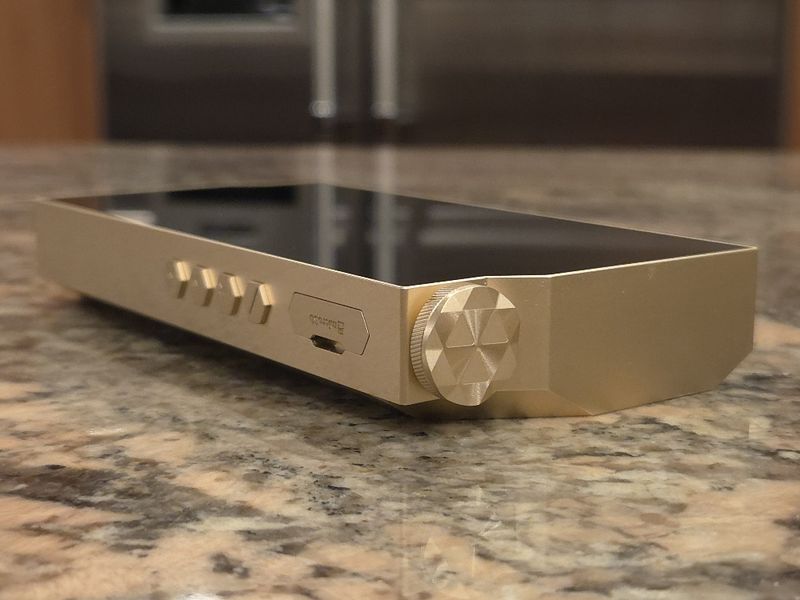
Here is how the RS8ii pairs with various IEMs and headphones. All were connected to the 4.4mm BAL output; 4.4mm, high gain, and Turbo and amp adjusted during pair-up. Also, I noted the volume setting for each pair-up as v#/100 (max volume is 100).
Headphones
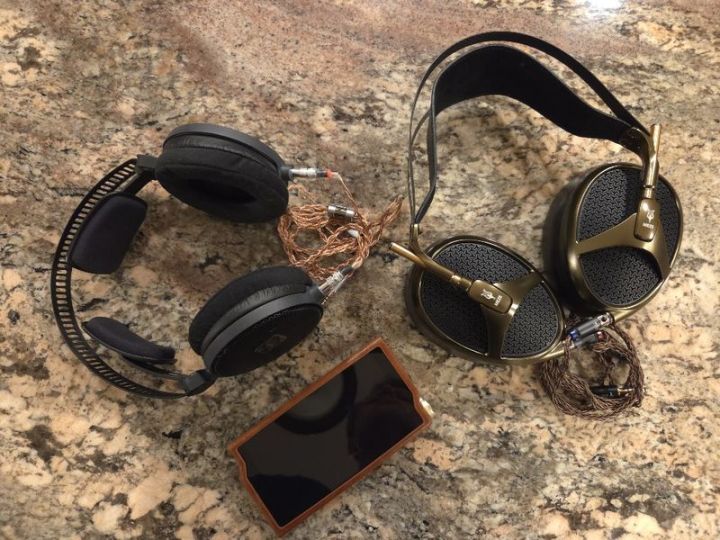
Audio-Technica ATH-R70x (v50/100) – As I often say, these 470-ohm open-back, low-sensitivity headphones are not easy to drive, but I had no issues with the RS8ii at half volume, with plenty of headroom. I preferred the Turbo boost on while driving an R70x with an RS8ii, making the bass faster, punchier, and tighter. With Turbo off, the bass was soft. The same goes for Class AB vs A; I liked the speed and punch of AB vs the slightly more laid-back presentation of A. Switching Turb on brought other performance improvements, such as a blacker background with R70x, greater clarity in the mids, and a corresponding improvement in detail retrieval. The soundstage was big, open, and expanded. The sound signature remained balanced, with a natural, smooth, detailed tonality. With Turbo On and in Class AB, the bass performance strikes a good balance between sub-bass rumble and mid-bass punch, resulting in a tighter, faster sound. Mids are neutral, natural, and resolving, with improved detail retrieval once you turn on Turbo. Treble remained smooth, not rolled off, still well-defined and detailed. The sound of R70x could transform depending on the source pair-up, and here it sounded great if you prefer a more natural, detailed tonality with a big, expanded soundstage and black background. I went back and checked this pair-up against SP4k with HDM (headphone driving mode in 4k), and SP4k sounded more laid-back and smoother than the punchier pair-up with RS8ii, which improved detail retrieval. Coincidentally, relative to this pairing, when I switch RS8ii from Class AB to Class A, it sounds a lot closer to SP4k w/HDM.
MEZE Audio Empyrean (v40/100) – I also preferred Turbo on here, which gave the Empyrean headphones a faster, punchier bass, more clarity, and even some improvement in layering and separation of the sounds. But when it comes to the Amp, I enjoyed the Class A, and even better, the Adaptive mode. In Class AB, the sound was a bit sterile, while Class A gave it a smoother tonality and a more laid-back presentation. Adaptive mode transformed Class A, giving it more speed, a tighter sound, and a similar smoother tonality without the “laidback” factor. Switching Turbo on also expanded the soundstage, making it more spherical and improving 3D sound placement. The sound signature leans towards being balanced, with a natural, detailed, smooth tonality, but not too organic, unlike some other pair-ups. The bass has a deeper sub-bass rumble with a punchy, fast mid-bass when Turbo is on, and is softer in mid-bass and more sub-bass when Turbo is off. The mids have a full, textured body and a natural, detailed presentation. With Turbo off, the mids sounded a bit congested, while they cleared up as soon as I switched to Turbo on. Treble was moderately crisp and airy, nicely extended, well-controlled, but a bit smoother, drawing more attention to the upper mids. In many pair-ups, like with SP4k, Empyrean can sound more laid-back and organic, but with RS8ii, Turbo On, and Adaptive amp mode, the sound is more balanced, dynamic, still natural, but more detailed, faster, and tighter.
IEMs
Aroma Jewel w/FT (v29/100) – In this pair-up, I didn’t hear a lot of difference in sound with Turbo on or off, and with Class AB vs A, I actually preferred AB since it made the sound tighter while A/Adaptive made it slightly more laid back. The soundstage has a round proportionally expanded shape with holographic imaging. The sound signature is well-balanced, with a natural resolving tonality, deep, punchy bass, clear, detailed, layered mids, and naturally resolving, sparkly treble. The tuning is more neutral and natural, with improved resolution. I like how this pair-up places equal emphasis on bass punch, midrange details, and treble sparkle.
FirAudio RN6 (v27/100) – I hear a big holographic soundstage expansion and imaging. The sound signature of RN6 with RS8ii remains L-shaped, bringing out more weight in the RN6 kinetic driver and a powerful bass slam; the bass here doesn’t overpower the mids/treble, unlike in some other pair-ups. Here, I actually preferred the Turbo off to give the bass a deeper, more balanced tuning between sub- and mid-bass. With Turbo on, the mid-bass slam was too aggressive, overpowering the sub-bass rumble. At the same time, I switched the amp to Class AB to tighten the bass, while A gave it a bit more laidback presentation. As already mentioned, the bass performance here is quite powerful, the mids are smoother and organic, and the treble is also softer in its presentation. The pair-up was very enjoyable, especially since the bass didn’t overpower the mids, bringing it closer to a balanced tuning.
Vision Ears VE10 (v15/100) – As one of my more sensitive IEMs, I had to lower the volume here and also noticed some waterfall hiss, which you can hear when the volume drops to 0 or when the song stops, or in quiet passages of the music; in busy tracks at regular listening volume, it was less noticeable. The soundstage expansion has plenty of depth and height, surprisingly more width than I recall with other sources. Imaging remained holographic. The sound signature is balanced with a fuller body and natural, detailed tonality. With Turbo off, the sub-bass rumble here has a little more weight, complemented by a rounded mid-bass punch. Once Turbo is enabled, the mid-bass punch comes through, more balanced in tuning with the sub-bass. Mids sound natural, smooth, and very detailed, and the treble is precise and detailed as well. Despite the smoother natural tuning, the sound of VE10 with RS8ii remained quite resolving.
Elysian Acoustic Annihilator 23 (v36/100) – Anni is harder to drive, so I had to raise the volume in this pair-up. I noticed an expanded soundstage, spherically spaced and spreading evenly in all three directions. The imaging was also approaching a holographic level. The Anni sounds mildly U-shaped with Turbo on, with greater emphasis on sub-bass and upper mids/treble, and the treble sounding a bit brittle. But once you turn the Turbo off, the signature becomes more balanced, and the treble becomes smoother and more natural. The bass impact here is very impressive, with sub-bass rumble scaling up relative to mid-bass; the mid-bass has a nice, tight, and well-controlled punch. Mids sound more neutral, natural, and very detailed, and their presentation is very slightly pulled back. The treble was crystal-clear, extended, airy, with a non-fatiguing crunch, as long as Turbo was off.
Forte Ears Macbeth (v26/100) – I hear a big, expanded soundstage with holographic imaging. The sound signature is balanced, with a natural midrange and a slightly more revealing, crisper treble, all without being harsh. The bass performance here is very powerful, making you forget you are listening to a BA driver because it sounds like a DD driver. The sub-bass rumble is textured and elevated, the mid-bass impact is scaled up, tight, fast, and punchy. The mids have a natural coloring, smooth, and quite resolving. Treble is crisp, airy, extended, and a bit more energetic, though it remains non-fatiguing and well-controlled. Surprisingly, with Turbo on, it felt like treble had more control and a bit less splashiness, so I kept it on.

Wired and wireless connections.
In addition to being a portable DAP, you can enhance the RS8ii’s functionality by using it as a transport to drive an external DAC/amp, add an external amp, or convert the DAP into a wired/wireless USB DAC. Furthermore, you are not limited to wired headphones; you can also use a wireless Bluetooth connection.
Wireless/Bluetooth
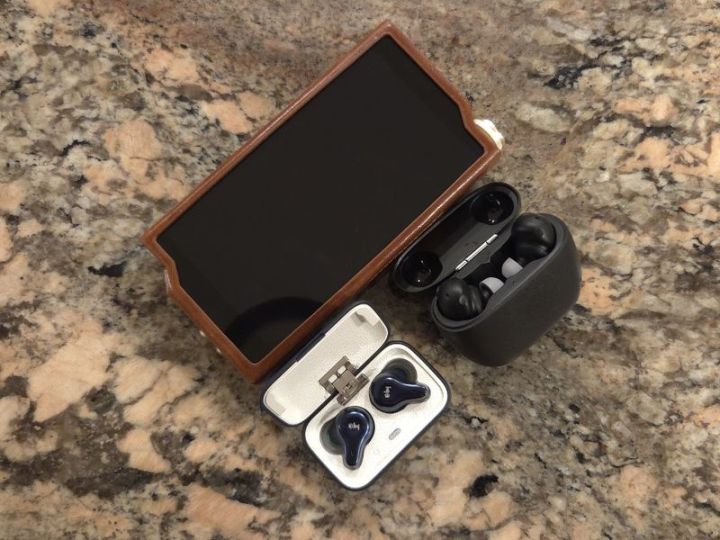
I tested the RS8ii BT Tx with the Hiby WH2 TWS (works within 45ft) and Final Tonalite (works within 35ft), and confirmed solid operation at the max noted distance, which varies depending on the limitations of the corresponding TWS earphones. I was able to pair each one using the LDAC codec, which needs to be enabled under the corresponding earphone in BT settings. Also, I confirmed full remote control of the playback from each one. The connection stability and sound quality were no different from using my Galaxy S25 phone.
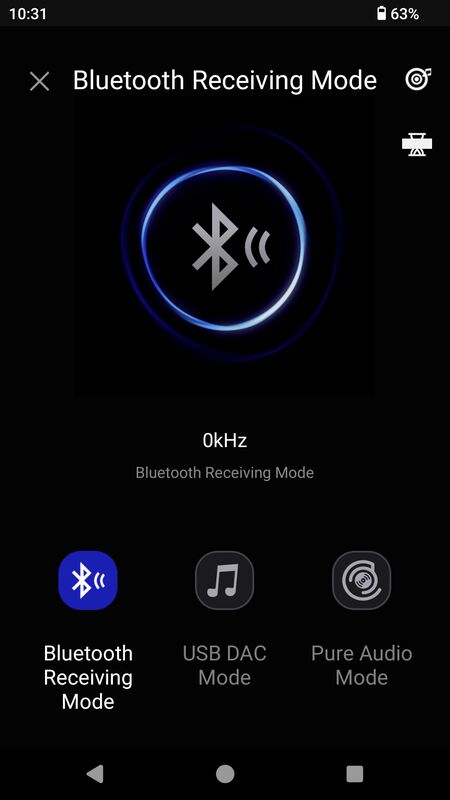
RS8ii also has BT Receiver mode, turning this DAP into a wireless DAC/amp. Go to Settings> Working Mode, select Bluetooth Receiving Mode, then search for RS8ii on your smartphone. One very important thing to note, before this, make sure you turn off the BT in RS8ii. When paired, tap the gear icon next to RS8ii in your smartphone’s Bluetooth menu, then select LDAC. After the initial pair-up, always remember to set BT to off on the RS8ii before entering BT Rx mode on the DAP.
USB Audio Out
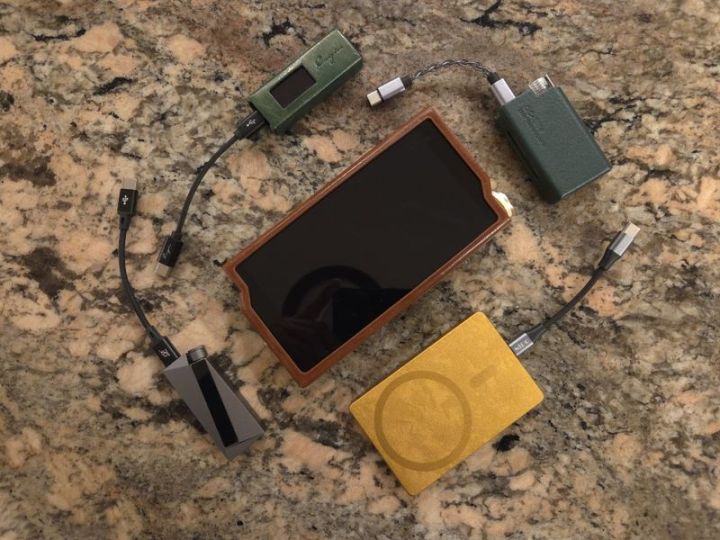
I tested and verified this one with various popular USB DAC dongles, such as A100, RU7, W4, and DC Elite, and found it worked without issue, with each device being correctly recognized as soon as it was attached to RS8ii. Similar to how I have it configured in HibyMusic on my Galaxy S25, I enabled Exclusive HQ USB audio access and selected USB Audio Performance mode. The sound quality was no different from when I connected these dongles to my Galaxy S25 phone.
USB DAC
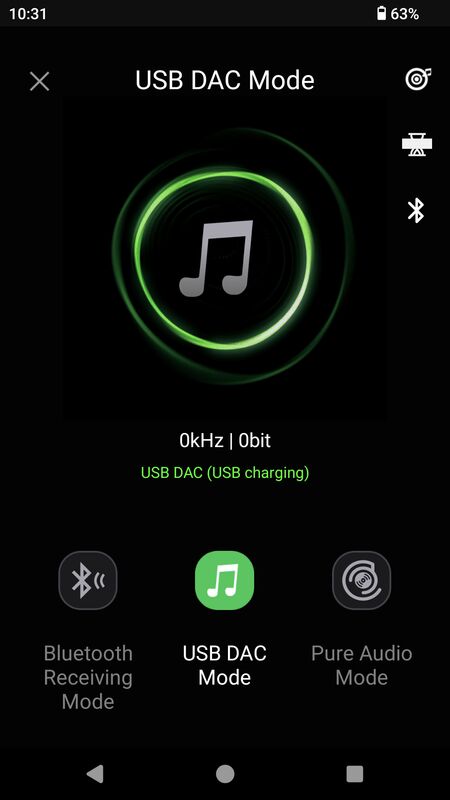
I verified this functionality using my ThinkPad T480s laptop running Win10 Pro. Once connected, swipe down the Notification bar on RS8ii, tap USB Preferences, then select USB DAC to enter USB DAC mode. In the USB Preferences menu, before selecting USB DAC, make sure you select the charge connected device option to either charge the DAP or let it run off its internal battery. Alternatively, you can also select USB DAC from the Working Mode menu in Settings. On the USB DAC screen, you can change audio settings, enter the Sankofa AI menu, and enable Bluetooth. No drivers required, Win10 recognized the DAP without a problem, and RS8ii was selectable in Windows Audio Settings. Volume could be adjusted from the Laptop and RS8ii. Sound is the same whether playing directly from RS8ii or playing the same song from a laptop with RS8ii connected as a USB DAC.
Coax Out
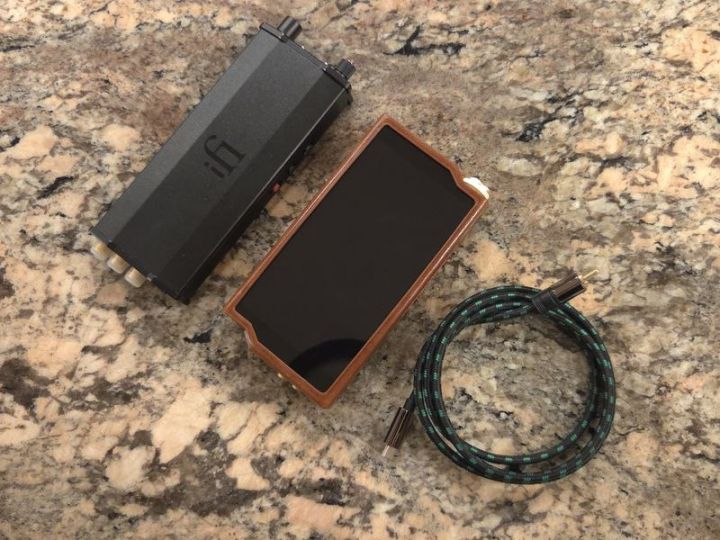
With an optional custom usb-c to coax cable (for Hiby and Cayin daps), you can turn RS8ii into an audio source/transport. Just plug it in, connect it to an external DAC/amp, and it works. I was using iFi micro iDSD BL, and everything was recognized without a problem or the need to enable anything in Settings. Volume was adjustable on the micro iDSD, not on the RS8ii, since I have digital volume locked; otherwise, you can unlock it in settings to adjust it from both devices. With micro iDSD BL, it’s a typical sound performance I’m already familiar with in many other previous pair-ups.
Line Out
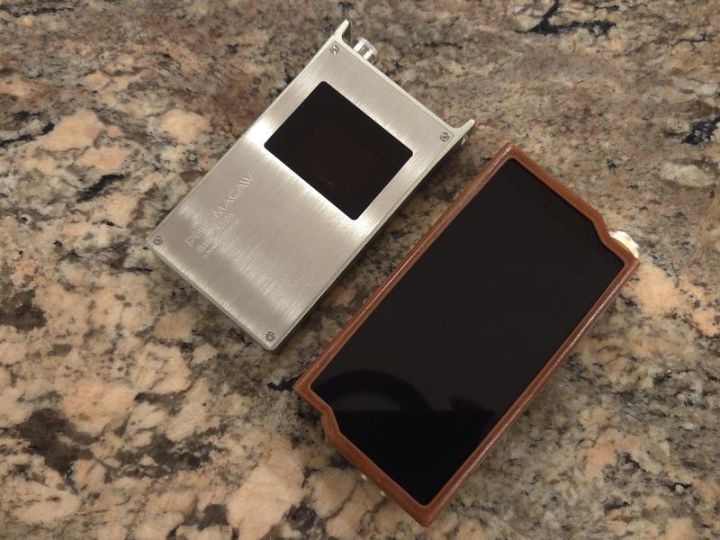
RS8ii automatically detects when Line Out is connected (an icon in the notification bar), and I was able to adjust the RS8ii output level using the volume control (if LO digital volume is not locked, in Audio Settings) as well as from PB6. Alternatively, you can disable/lock the LO digital volume adjustment and use only the external amp volume control. I was using the iBasso PB6 amp in solid-state mode to keep it clean and neutral, and I already covered the audio performance in the Sound analysis section of my review.
Conclusion.
It is becoming more challenging to review flagship DAPs, as they all sound great and even start to overlap in functionality. As I mentioned in the intro, every manufacturer takes their time, often years, with each flagship DAP release, offering the best to showcase years of accumulated design experience. Now, we are getting to the point where it seems like every new Summit-Fi release is about finetuning to perfection, rather than introducing something more drastic. In my opinion, Hiby did accept the challenge and rise to the occasion with more than just a finetuning in their latest RS8ii release.
First of all, they paid close attention to the uniquely shaped design and ergonomics, with the RS8ii being one of the few recent flagships that is not as heavy and easy to hold in the palm of a hand. It was optimized for battery performance in Class AB, which is outstanding, letting you enjoy extended playback time without being tied to a charger or an external power bank while on the go. Next is the pleasure of handling one of the fastest Android DAPs on the market, with benchmark performance 6x faster than any other Qualcomm 660/665 Android DAP per my measurements. I know, some people usually respond with “but I’m not getting a DAP to play video games”. That’s true: audio quality matters most, but even with an FPGA to offload audio processing, a faster SoC helps optimize overall DAP performance, making it more pleasurable to use. With RS8ii, you forget that you are using a DAP because it feels like a smartphone.
But as I said, audio performance is what sets the flagship audio player apart within the manufacturer’s own DAP portfolio, and relative to other flagships on the market. With its RS8ii release, Hiby delivered a mature tuning with a natural, textured, fuller-body tonality of a discrete R2R DAC, combined with higher-resolution, detailed, precise technical performance. Then, with access to Darwin filters, Harmonic Controller, Turbo boost, and Class A, AB, and Adaptive amp modes, you can shape the sound even further, adapting it for either IEM or full-size headphone pair-up perfection. I’m sure many will be curious about Sankofa AI sound simulation presets. Those will catch the attention of audiophiles who would like to experiment with something different, injecting more fun into the sound, especially if you fancy a unique bass enhancement.
Hiby RS8ii is not cheap, and the manufacturer stepped it up not only in tuning, design, performance, and features, but also in price, which could be reasonably justified going from their previous RS8 release. But as I always say, please remember, there is no such thing as the best, just what is the best for you, per your feature and design requirements, pair-up synergy with IEMs, headphones, and music you are listening to, and within your budget. But if money is no object and you are looking for the top-performing flagship DAP, the RS8ii deserves very serious consideration.

 Twister6 Reviews
The comparision with SP4k is bit off imho. It was very obvious for me that SP4k is much higher res dap with better imaging and staging in direct A/B with Storm, HEX and APX OG. I am not sure if its about higher res transducers that can show that difference, but the RS8ii lacked that special sauce factor for me that some daps got.. it was good though, just not 3.5-4k good.
LikeLike
Are you talking about RS8ii with fw1.50, burned in for 150hrs or something else? RS8ii with the latest fw1.50 is night and day in comparison to what people heard at CanJam shows a few months ago with a beta fw. I literally had to redo the sound analysis of RS8ii twice, first time when they updated to fw1.30, and then to fw1.50. Fw1.50 raise the resolution and retrieval of details, making RS8ii treble response more revealing, to the point where you need to switch back from Class AB to A if you want to match SP4k. Also, you need to make sure Harmonic Controller is set to 255, just like DAR has to be on. Ultra Filter completely changed from beta to 1.3 to 1.5, totally different sound. Thus, make sure we are comparing the same thing. And of course, there is pair-up synergy dependency with your particular IEMs.
LikeLike
I’m on the fence between the SP4000 and the RS8ii. Based on everything I’m reading, it sounds like the RS8ii may be the better option given the recent firmware updates.
How is the Line Out on the RS8ii compared to the SP4000?
LikeLike