
GUI.
Because this is a pure music player, the GUI is fairly simple and yet I was absolutely amazed at how fast it was. When I first booted up the LP6K I was expecting that it would take a few moments at least to update the music library from the micro SD card I had inserted. So I was putting it to the side in order to do something else and even before the LP6K touched the table it was ready to go. I have noticed that album art can take a little longer to load in, but at least you don’t have to wait until its done.
The main menu is simple, with buttons for making a Play List, to see your music based on Album, Artist, Songs or Folders, a Settings menu and at the bottom of the screen your current music. The current music screen is again very simple with aside from the regular controls a button that will take you to the EQ for the available PMEQ and ATE pre-sets. Listed there is also any custom PMEQ setting you might have saved.


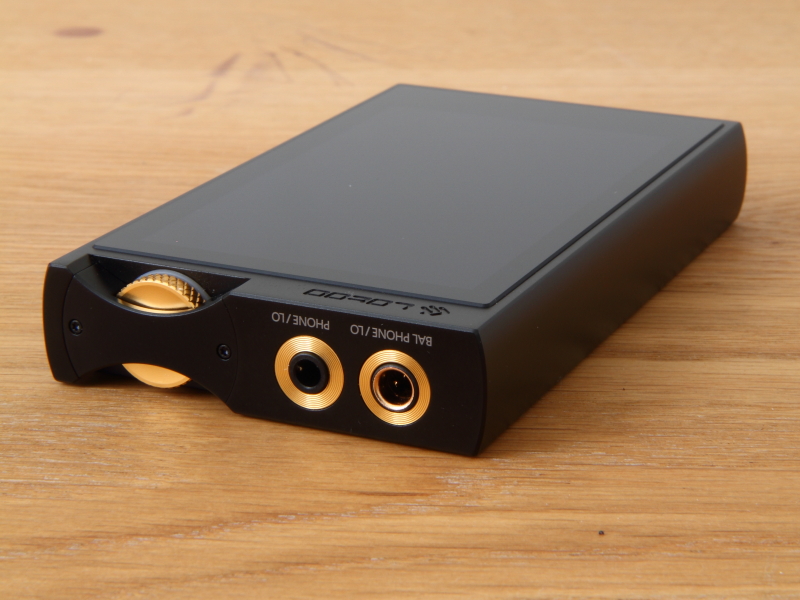
From the home screen you can enter the Settings menu, which has a good selection of options with a few notable ones aside from those you might expect. It is simple yet effective. The Play and Player settings are very straightforward, except that if you select Language, you will find very few options there. Lotoo restricts the languages geographically and so you will not be able to select “English” if you bought the LP6K in China. The EU version I have is also restricted to just English. So, this is something to be aware of if you are buying abroad, as it is embedded in the hardware and so there is no way to change it through a firmware update or such. The Output settings are very nice and again give the user a lot of control. Each out (4.4mm and 3.5mm) can be set individually: Left/right balance, gain and whether it is headphone out or line out. In the drop-down menu it is also possible to adjust the gain setting individually if you want to get there more quickly.


Beyond that, the Settings menu has the Bluetooth connection and BT DAC function, online update via WiFi and of course that all important PMEQ. Let’s have a look at that…
PMEQ.
This is without a doubt one of the main selling points of the LP6K and why I consider it such a great tool for every audiophile who likes to have a lot of control. The LP6K is equipped with Lotoo’s second-generation parametric equaliser (PMEQ) that offers a choice between 8 standard PMEQ pre-sets (Classic, Pop, Rock, Techno, Dance, Headphone, Jazz and Full Bass), 7 Acoustic Timbre Embellisher (ATE) pre-sets (Brighter, Sweet, Dental, Style 701, Style 990, Diffuse Field [Near Field] and Diffuse Field [Far Field]), as well as fully customised settings.
The pre-sets are quite useful and I found myself enjoying playing around with them a little. Most interesting for me personally were the ATE settings. The ‘Sweet’ setting tones down the LP6K just a hint to make for a smoother sound that I quite liked on days that I was already fatigued from work and just wanted to enjoy music in the most easy-going way possible. I used the ‘Diffuse Field (Far Field)’ setting quite a lot in combination with the Astrotec Lyra Collection earbuds while using the LP6K as a BT DAC as I was watching YouTube. I really liked that effect, for that specific purpose. Mostly though, as is usually the case with me, I did not care much for the pre-sets and my main focus was on the custom PMEQ.
The LP6K offers a highly versatile 5-band parametric equaliser. This means that you can adjust any frequency you like with a great deal of control. You can choose between a Low Shelf Filter (LSF), High Pass Filter (HPF) or Band Pass Filter (BPF), dial in the exact frequency you are targeting, set the amount of Gain you want and the width of the range you want to affect (Q).


Now, confession time, I have never cared much for using EQ, but that was mostly because I never had a proper EQ to work with (looking at you Astell & Kern). That changed a lot when I got the Cowon Plenue 2 and I really enjoyed experimenting with it because the Plenue 2 had an excellent EQ. The LP6K goes a step further still by allowing for full-on parametric EQing. This allows for much more precise control, dipping and lifting exactly the right frequency range you are after. It is great, albeit not easy if you are just getting into it. This is something that Lotoo seems to acknowledge, given that if you have made adjustments and press the back button, the LP6K offers the options ‘save’, ‘save as…’ and ‘give up’ (ie. quit without saving). Got to hand it to Lotoo for having a good sense of humour! The interface for making the adjustments is very easy to use and it is great to be able to see exactly what you are changing displayed in the graph above.

 Twister6 Reviews
Any info on how it sounds compared to the LPGT, which I know is over twice the price? I suspect it is small differences.
LikeLike
I don’t have access to the LPGT (I am quite curious how they compare myself), but Alex/Twister6 will look into doing a comparison soon.
LikeLike
Great review as always. The real ‘value’ of a DAP like this can only really be determined if you compare it to similarly priced modern DAPs like the FiiO M15 and Caying N6ii. If those ‘full featured’ DAPs give the Lotoo a run for its money sound-wise, then unless you absolutely do not want anything other than pure music playback from a DAP and get zero value from streaming, DLNA, WiFi file management and remote control, the Lotoo isn’t quite as compelling.
LikeLike